Object-Oriented Programming (OOP) in Java
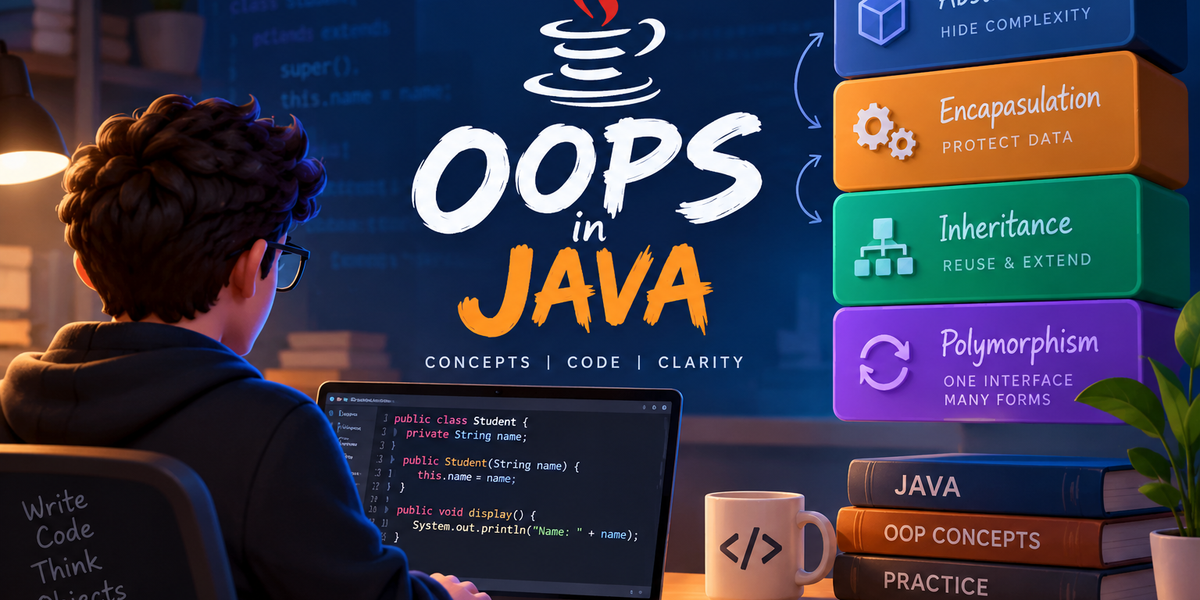
What is OOP and Why Do We Need It?
Object-Oriented Programming (OOP) is a programming paradigm centered around objects rather than actions or pure logic.
In OOP, you can represent any real-world entity—like a User, a BankAccount, or a Car—as an object in your code, bundling its data (attributes) and behavior (methods) together.
Procedural vs. Object-Oriented Approach
In traditional procedural programming languages (like C or BASIC), execution follows a step-by-step sequence of instructions, relying heavily on functions, conditions, and loops:
1// Procedural Approach (C Example)2#include <stdio.h>34struct Car {5 char brand[20];6 int speed;7};89void drive(struct Car c) {10 printf("%s is driving at %d km/h\n", c.brand, c.speed);11}1213int main() {14 struct Car myCar = {"Toyota", 80};15 drive(myCar);16 return 0;17}
Why and When We Shifted to OOP
As software grew more complex, maintaining global variables and detached functions became difficult. Developers realized that software ultimately models the real world—where entities have state, behavior, and clear boundaries.
OOP allows us to model these entities directly in code, making applications easier to scale, organize, and maintain:
1// Object-Oriented Approach (Java Example)2class Car {3 private String brand;4 private int speed;56 public Car(String brand, int speed) {7 this.brand = brand;8 this.speed = speed;9 }1011 public void drive() {12 System.out.println(brand + " is driving at " + speed + " km/h");13 }14}1516public class Main {17 public static void main(String[] args) {18 Car myCar = new Car("Toyota", 80);19 myCar.drive();20 }21}
The Two Core Building Blocks: Class & Object
Think of OOP like building real things. Everything in OOP revolves around just two main concepts: Class and Object.
-
Class: The design, template, or blueprint. (It doesn't take space in physical memory until created).
-
Object: The actual physical thing created using that blueprint. (It actually exists and takes up memory).
Understanding with a Simple Example
Imagine you want to manufacture a Smartphone.
-
First, engineers design a blueprint on paper. They decide:
-
What properties it will have:
brand,color,ram -
What actions it can do:
makeCall(),takePhoto()This blueprint on paper is your Class*.*
-
-
Next, the factory uses that blueprint to make actual phones (like your phone, your friend's phone, etc.). These physical phones in your hand are Objects*.*
1. Class (The Blueprint)
A class defines what data (attributes) an object will store and what actions (methods) it can perform.
1// Blueprint: Class definition2class Smartphone {3 // State / Data (Attributes)4 String brand;5 String color;6 int ramInGB;78 // Behavior / Action (Methods)9 void makeCall(String phoneNumber) {10 System.out.println("Calling " + phoneNumber + "...");11 }12}
Note: Class names in Java should always follow TitleCase (also called
PascalCase), where every word starts with a capital letter (e.g.,Smartphone,BankAccount). While Java won't throw an error if you don't follow this, it is standard industry convention and makes your code clean and readable.
2. Object (The Real Deal)
An object is an actual instance created from the class. You create it using the new keyword in Java. Once created, each object gets its own copy of the variables defined in the class and can perform the actions defined in it.
1public class Main {2 public static void main(String[] args) {3 // Creating an Object from the Smartphone class4 Smartphone myPhone = new Smartphone();56 // Setting data for THIS specific object7 myPhone.brand = "Samsung";8 myPhone.color = "Black";9 myPhone.ramInGB = 8;1011 // Calling a method on this object12 myPhone.makeCall("9876543210");1314 // Creating ANOTHER object from the SAME blueprint15 Smartphone friendPhone = new Smartphone();16 friendPhone.brand = "Apple";17 friendPhone.color = "White";18 friendPhone.ramInGB = 6;19 }20}
Reference Variables & Heap Memory
When you write Smartphone myPhone = new Smartphone();:
-
new Smartphone(): Allocates memory for the object in the Heap at runtime. (Dynamic Memory Allocation) -
myPhone: Is a Reference Variable stored on the Stack. It holds the memory address pointing to the actual object sitting in the Heap.
1STACK MEMORY HEAP MEMORY2-------------- -----------------------3| | | SmartPhone Object: |4| myPhone---|------------|-> brand: "Samsung" |5| | | color: "Black" |6| | | ramInGb: 8 |7-------------- -----------------------
Instance Variables vs. Local Variables
-
Instance Variables (Class Attributes): Belong to the object in the Heap. Java automatically initializes them with default values if you don't assign them.
-
Local Variables: Created inside methods/blocks on the Stack. Java does NOT give them default values. You must initialize them before using them, or the compiler throws an error.
| Variable Type | Where it lives | Default Value? | Example Defaults |
|---|---|---|---|
| Instance Variable | Heap (inside object) | Yes | int $\rightarrow$ 0, double $\rightarrow$ 0.0, boolean $\rightarrow$ false, String / Objects $\rightarrow$ null |
| Local Variable | Stack (inside method) | No (Must assign before use) | N/A (Compile error if read unassigned) |
Quick Code Example
1class Smartphone {2 // Instance variables (Get automatic default values)3 int ramInGB; // Default: 04 String brand; // Default: null5 boolean is5G; // Default: false67 void checkStorage() {8 // Local variable9 int appCount;1011 // System.out.println(appCount);12 // ❌ COMPILE ERROR! Local variable 'appCount' must be initialized before use.1314 appCount = 5;15 System.out.println(appCount); // ✅ Works fine now16 }17}
Constructors in Java
A Constructor is a special method used to initialize a newly created object. It sets up the initial state (values) for the object when memory is allocated.
-
Auto-called: Executes automatically when you use the
newkeyword. -
Same Name: Must have the exact same name as the
Class. -
No Return Type: Unlike regular methods, constructors do not have a return type (not even
void). -
Cannot be called manually: You cannot do
myPhone.SmartPhone()later in your code—it runs only once during object creation.
Default Constructor
If you do not write any constructor in your class, Java automatically provides a default no-argument constructor behind the scenes.
1class SmartPhone {2 // Provided automatically by Java compiler if no constructor is written3 SmartPhone() {4 // Empty body - sets instance variables to default values (0, null, false)5 }6}
Important Rule: If you define any custom constructor (parameterized or no-arg), Java stops providing the default constructor automatically.
Types of Constructors
1. No-Argument Constructor (Explicit)
A constructor that takes no parameters. You write it yourself to give default custom values to objects.
1class SmartPhone {2 String brand;34 // Explicit No-Arg Constructor5 SmartPhone() {6 brand = "Generic Brand";7 }8}
2. Parameterized Constructor
A constructor that takes arguments so you can initialize different objects with custom values at creation time.
1class SmartPhone {2 String brand;3 int ram;45 // Parameterized Constructor6 SmartPhone(String b, int r) {7 brand = b;8 ram = r;9 }10}
Constructor Overloading
Just like normal methods, you can have multiple constructors in the same class, as long as they have different parameter lists (different number, types, or order of parameters).
1class SmartPhone {2 String brand;3 int ram;45 // Constructor 1: Default6 SmartPhone() {7 this.brand = "Unknown";8 this.ram = 4;9 }1011 // Constructor 2: Takes only brand12 SmartPhone(String brand) {13 this.brand = brand;14 this.ram = 4; // default ram15 }1617 // Constructor 3: Takes both brand and ram18 SmartPhone(String brand, int ram) {19 this.brand = brand;20 this.ram = ram;21 }22}
Constructor Chaining (using this())
Constructor Chaining is the process of calling one constructor from another constructor within the same class using the this() keyword. It avoids code duplication.
Rule: this() call must be the very first statement inside the constructor body.
Example 1: Forwarding defaults to a master constructor
1class SmartPhone {2 String brand;3 int ram;45 // Default constructor calls Parameterized constructor6 SmartPhone() {7 this("Generic Brand", 4); // Calls Constructor 28 }910 // Master Parameterized Constructor11 SmartPhone(String brand, int ram) {12 this.brand = brand;13 this.ram = ram;14 }15}
Example 2: Multi-step chaining
1class SmartPhone {2 String brand;3 int ram;4 boolean is5G;56 // 1st Constructor7 SmartPhone() {8 this("Unknown"); // Calls 2nd9 }1011 // 2nd Constructor12 SmartPhone(String brand) {13 this(brand, 8, true); // Calls 3rd14 }1516 // 3rd Constructor (Main setup)17 SmartPhone(String brand, int ram, boolean is5G) {18 this.brand = brand;19 this.ram = ram;20 this.is5G = is5G;21 }22}
Memory Error: OutOfMemoryError
When you create objects using new, memory is allocated in the Heap.
If you create millions of objects continuously (or run into an infinite loop creating objects) until the Heap space gets completely exhausted, Java throws an OutOfMemoryError at runtime.
1// Example that can crash the JVM Heap2while (true) {3 SmartPhone p = new SmartPhone(); // Continuously fills Heap memory4}5// Output: java.lang.OutOfMemoryError: Java heap space
Destructor in Java (Does it exist?)
Unlike C++, Java does NOT have explicit destructors.
In C++, developers must manually delete objects to free memory. In Java, memory management is handled automatically by the Garbage Collector (GC), which runs in the background and frees up Heap memory occupied by unreferenced objects.
Key Points to Remember
-
No Manual Freeing: You cannot manually destroy an object in Java.
-
finalize()is Deprecated: Java used to have afinalize()method that ran before garbage collection, but it has been deprecated and should not be used. -
Resource Cleanup: For closing resources like files, database connections, or network sockets, use
AutoCloseablewith a try-with-resources block instead:
1// Recommended way to clean up resources in Java2try (FileReader fr = new FileReader("file.txt")) {3 // Read file operations4} catch (IOException e) {5 e.printStackTrace();6} // 'fr' is automatically closed here when exiting the block
The this Keyword in Java
The this keyword is a reference variable in Java that refers to the current object (the specific object whose method or constructor is currently running).
Think of this as the object referring to itself.
Key Uses of this
1. Distinguishing Instance Variables from Parameters (Shadowing)
When a constructor or method parameter has the exact same name as an instance variable, the parameter name "shadows" (hides) the instance variable. Use this to explicitly tell Java you mean the instance variable.
1class SmartPhone {2 String brand; // Instance variable34 SmartPhone(String brand) { // Parameter has same name5 // this.brand refers to the instance variable6 // brand refers to the constructor parameter7 this.brand = brand;8 }9}
2. Constructor Chaining (this())
You can use this() to invoke another constructor within the same class.
Rule: The this() call must be the very first line inside the constructor.
1class SmartPhone {2 String brand;3 int ram;45 SmartPhone() {6 this("Generic Brand", 4); // Calls the parameterized constructor below7 }89 SmartPhone(String brand, int ram) {10 this.brand = brand;11 this.ram = ram;12 }13}
3. Passing the Current Object as an Argument
You can pass this into another method if that method needs to operate on the current object.
1class SmartPhone {2 void display() {3 Printer printer = new Printer();4 printer.printPhoneDetails(this); // Passes 'this' phone object5 }6}
Object Size in Java
When you create an object in Java (e.g., new Object()), it doesn't just store your variables. Java adds some hidden metadata overhead so the Java Virtual Machine (JVM) can manage the object (locking, garbage collection, type tracking).
In a standard 64-bit JVM (with Compressed OOPs enabled by default), every object's memory layout consists of 3 main parts:
1┌─────────────────────────────────────────────────────────-┐2│ JAVA OBJECT MEMORY LAYOUT │3├─────────────────────────────────────────────────────────-┤4│ 1. Object Header (12 Bytes) │5│ ├── Mark Word (8 Bytes) -> HashCode, GC, Locks │6│ └── Klass Word (4 Bytes) -> Pointer to Class Metadata│7├─────────────────────────────────────────────────────────-┤8│ 2. Instance Fields / Data (Variable Bytes) │9│ └── Your actual primitive variables & references │10├─────────────────────────────────────────────────────────-┤11│ 3. Padding (0 to 7 Bytes) │12│ └── Extra empty space to make total size multiple of 8│13└─────────────────────────────────────────────────────────-┘
The 3 Parts Breakdown
1. Object Header (12 Bytes Metadata)
Every object in Java comes with a 12-byte header split into two sections:
-
Mark Word (8 Bytes): Stores internal JVM metadata:
-
Identity HashCode: Generated when
System.identityHashCode(obj)is called. -
GC Age: Tracks how many Garbage Collection cycles this object survived.
-
Locking & Synchronization Info: Stores synchronization status (whether a thread locked this object using
synchronized).
-
-
Klass Word (4 Bytes with Compressed OOPs):
- A pointer that tells the JVM: "I am an instance of
SmartPhone.class!" It links the object in Heap to its class definition in Metaspace.
- A pointer that tells the JVM: "I am an instance of
2. Instance Fields (Your Actual Data)
This is where your actual variables live. Primitive data types have fixed memory sizes:
| Data Type | Memory Size |
|---|---|
boolean, byte | 1 byte |
char, short | 2 bytes |
int, float | 4 bytes |
long, double | 8 bytes |
Object References (e.g., String brand) | 4 bytes (with Compressed OOPs) |
3. Alignment Padding (Rule of 8)
The JVM processes memory in 8-byte chunks for 64-bit CPU architecture efficiency.
8-Byte Alignment Rule: The total memory consumed by any object MUST be a multiple of 8 bytes.
If Header + Fields equals 21 bytes, the JVM adds 3 bytes of empty padding to round it up to 24 bytes.
Real Example Calculation
Let's calculate the memory occupied by this SmartPhone object:
1class SmartPhone {2 int ramInGB; // 4 bytes3 boolean is5G; // 1 byte4 String brand; // 4 bytes (Reference pointer)5}
Step-by-Step Breakdown:
-
Header: 12 bytes
-
Fields: 4 (int) + 1 (boolean) + 4 (reference) = 9 bytes
-
Subtotal: 12 + 9 = 21 bytes
-
Padding: 21 is not a multiple of 8. The next multiple of 8 is 24 $\rightarrow$ 3 bytes of padding added.
-
Total Heap Size = 24 Bytes
Key Takeaways:
-
An empty Java object (new Object()) takes 16 bytes (12B Header + 4B Padding).
-
Object references inside an object take 4 bytes on the Heap (pointing to another Heap memory address).
-
Padding stores no data—it exists solely for CPU alignment performance.
Primitives vs. Reference Types (And Why Both Exist)
This is one of the biggest confusion points in Java: Why do we have int AND Integer? Why not just use one?
Let's clear this up once and for all.
1. Primitive Variables vs. Reference Variables
Java has two main types of variables:
Primitives (int, double, boolean, char, etc.)
-
What they are: Raw, basic values stored directly inside the variable on the Stack.
-
No methods, no
null: You can't call.something()on anint, and it cannot benull.
1int age = 20; // The number 20 is stored directly inside 'age' on the Stack
Reference Variables / Objects (String, Integer, SmartPhone, etc.)
-
What they are: Variables that hold a memory address (pointer) pointing to the actual object sitting in the Heap.
-
Has methods and can be null: They can access methods and can be set to
null(pointing to nothing).
1Integer count = new Integer(10); // 'count' lives on Stack, holding an address pointing to '10' in Heap
1STACK MEMORY HEAP MEMORY2┌──────────────────────────┐ ┌──────────────────────────┐3│ int age = 20 │ │ │4│ │ │ │5│ Integer count ───────────┼──────────>│ [Integer Object: 10] │6└──────────────────────────┘ └──────────────────────────┘
2. Wrapper Classes (Integer, Long, Boolean, etc.)
Java provides a Wrapper Class for every primitive type:
| Primitive Type | Wrapper Class (Reference Object) |
|---|---|
int | Integer |
long | Long |
double | Double |
boolean | Boolean |
char | Character |
3. Why Do BOTH Exist? (Pros & Cons)
If Integer can do everything int does, why keep primitives? Performance.
Primitives (int, long)
-
✅ Pros: Extremely fast, uses very little memory (
int= 4 bytes flat, no object header overhead). -
❌ Cons: Cannot be used in Java Collections (
ArrayList<int>is invalid), cannot represent a missing/nullvalue.
Wrapper Classes (Integer, Long)
-
✅ Pros: Works with Collections (
ArrayList<Integer>), supports utility methods (Integer.parseInt()), can benull(useful for database fields). -
❌ Cons: Much slower, takes ~16+ bytes of memory (12B header + 4B data + padding) vs. 4 bytes for primitive
int.
4. Autoboxing and Unboxing
Because primitives and Wrapper objects are different, Java provides automatic conversion between them so you don't have to write manual conversion code every time.
1Autoboxing2 Primitive ───────────────> Wrapper Object3 (int) <─────────────── (Integer)4 Unboxing
-
Autoboxing: Primitive $\rightarrow$ Wrapper Object (
Integer.valueOf()) -
Unboxing: Wrapper Object $\rightarrow$ Primitive (
obj.intValue())
Autoboxing (Primitive $\rightarrow$ Wrapper Object)
The automatic conversion that the Java compiler makes between a primitive type and its corresponding Wrapper Object.
- Happens automatically when you assign a primitive value to a Wrapper reference or pass it into a method expecting an Object (like adding to an
ArrayList).
1// Behind the scenes: Compiler converts this to Integer.valueOf(10)2Integer obj = 10; // Autoboxing (int primitive -> Integer object)34List<Integer> list = new ArrayList<>();5list.add(5); // Autoboxing (int primitive 5 -> Integer object)
Unboxing (Wrapper Object $\rightarrow$ Primitive)
The reverse process: converting a Wrapper Object back to its corresponding primitive type.
- Happens automatically when an object is used in mathematical operations (
+,-,*), assigned to a primitive variable, or evaluated in conditions (if,while).
1Integer obj = new Integer(20);23// Behind the scenes: Compiler converts this to obj.intValue()4int num = obj; // Unboxing (Integer object -> int primitive)56int sum = obj + 5; // Unboxing happens to perform addition
Common Pitfall: NullPointerException during Unboxing
Since Wrapper Objects can be null, trying to unbox a null object into a primitive variable will crash your program at runtime with a NullPointerException.
1Integer count = null;23// ❌ RUNTIME ERROR! Throws NullPointerException4// Java tries to run count.intValue(), but 'count' is null!5int total = count;
Call by Value vs. Call by Reference
Here is a absolute truth in Java that trips up even experienced developers:
Java is ALWAYS Call by Value. There is NO Call by Reference in Java.
What Happens When You Pass Arguments to a Function?
When you pass a variable to a method, Java always creates a copy of the variable's value and passes that copy into the function's parameter (on the Stack).
1. Passing Primitives (Pure Value Copy)
If you pass a primitive variable (int, boolean, etc.), Java copies the actual value. Changing the parameter inside the function does not affect the original variable.
1void modifyAge(int age) {2 age = 30; // Modifies local copy on method Stack frame3}45int originalAge = 20;6modifyAge(originalAge);7System.out.println(originalAge); // Output: 20 (Unchanged!)
2. Passing Objects / Reference Variables (Copy of the Reference Pointer)
When you pass an Object, people often mistake it for Call by Reference because changes inside the method reflect outside. However, Java is still passing by value! The value being copied and passed is the memory address (reference pointer). Both the original reference variable and the method's parameter copy now point to the exact same object in the Heap.
1class SmartPhone {2 String brand = "Samsung";3}45class Main {6 static void updateBrand(SmartPhone phoneCopy) {7 phoneCopy.brand = "Apple"; // Modifies the actual object in Heap!8 }910 public static void main(String[] args) {11 SmartPhone myPhone = new SmartPhone();12 updateBrand(myPhone);13 System.out.println(myPhone.brand); // Output: Apple14 }15}
1STACK MEMORY HEAP MEMORY2 ┌──────────────────────────────┐ ┌──────────────────────┐3 │ myPhone (Ref Address: 0x101) ├────────────────>│ SmartPhone Object │4 │ │ │ │5 │ phoneCopy (Copy: 0x101) ────┼────────────────>│ - brand: "Apple" │6 └──────────────────────────────┘ └──────────────────────┘
Proof that Java is NOT Call by Reference: If you reassign phoneCopy = new SmartPhone() inside updateBrand(), the original myPhone outside will NOT change to point to the new object.
Shallow Copy vs. Deep Copy
When you want to duplicate an object, how far down do you copy its data? This depends on whether you perform a Shallow Copy or a Deep Copy.
1. Shallow Copy (Surface Level)
A Shallow Copy creates a new object, but it simply copies the exact values of all fields from the original object:
-
Primitive fields get copied directly.
-
Reference fields (nested objects) get their memory addresses copied.
This means both the original object and the new copy will share the same nested objects in Heap memory.
1ORIGINAL OBJECT (HEAP) SHALLOW COPY (HEAP)2┌─────────────────────────────┐ ┌─────────────────────────────┐3│ ram = 8 │ │ ram = 8 │4│ batteryRef (0x101) ─────────┼──────┐ ┌──────┼─ batteryRef (0x101) │5└─────────────────────────────┘ │ │ └─────────────────────────────┘6 ▼ ▼7 ┌─────────────────────┐8 │ Shared Battery │9 │ Address: 0x101 │10 └─────────────────────┘
Code Example (Shallow Copy using Copy Constructor)
1class Battery {2 int capacity = 5000;3}45class SmartPhone {6 int ram = 8;7 Battery battery = new Battery();89 // Default Constructor10 SmartPhone() {}1112 // Shallow Copy Constructor13 SmartPhone(SmartPhone original) {14 this.ram = original.ram;15 this.battery = original.battery; // Just copies the reference pointer!16 }17}1819public class Main {20 public static void main(String[] args) {21 SmartPhone phone1 = new SmartPhone();2223 // Create a shallow copy24 SmartPhone phone2 = new SmartPhone(phone1);2526 // Modifying battery in phone2 will ALSO change phone1's battery!27 phone2.battery.capacity = 3000;2829 System.out.println(phone1.battery.capacity); // Output: 3000 (Affected!)30 }31}
2. Deep Copy (Completely Independent)
A Deep Copy creates a new object AND manually creates new instances for every nested object inside it.
-
Primitive fields are copied directly.
-
Reference fields point to brand new objects created on the Heap.
-
The copy and the original share zero memory addresses.
1ORIGINAL OBJECT (HEAP) DEEP COPY (HEAP)2 ┌─────────────────────────────┐ ┌─────────────────────────────┐3 │ ram = 8 │ │ ram = 8 │4 │ batteryRef (0x101) ─────────┼──┐ ┌──┼─ batteryRef (0x202) │5 └─────────────────────────────┘ │ │ └─────────────────────────────┘6 ▼ ▼7 ┌──────────┐ ┌──────────┐8 │ Battery │ │ Battery │9 │ (0x101) │ │ (0x202) │10 └──────────┘ └──────────┘
Code Example (Deep Copy using Copy Constructors)
1class Battery {2 int capacity;34 Battery(int capacity) {5 this.capacity = capacity;6 }78 // Copy Constructor for Battery9 Battery(Battery originalBattery) {10 this.capacity = originalBattery.capacity;11 }12}1314class SmartPhone {15 int ram;16 Battery battery;1718 SmartPhone(int ram, int batteryCapacity) {19 this.ram = ram;20 this.battery = new Battery(batteryCapacity);21 }2223 // Deep Copy Constructor for SmartPhone24 SmartPhone(SmartPhone original) {25 this.ram = original.ram;26 // Explicitly allocate a NEW Battery object on the Heap27 this.battery = new Battery(original.battery);28 }29}3031public class Main {32 public static void main(String[] args) {33 SmartPhone phone1 = new SmartPhone(8, 5000);3435 // Create a deep copy36 SmartPhone phone2 = new SmartPhone(phone1);3738 // Modifying battery in phone2 will NOT affect phone1!39 phone2.battery.capacity = 3000;4041 System.out.println(phone1.battery.capacity); // Output: 5000 (Safe & Unchanged!)42 System.out.println(phone2.battery.capacity); // Output: 300043 }44}
| Feature | Shallow Copy | Deep Copy |
|---|---|---|
| Nested Objects | Shared (pointers copied) | Completely new objects created |
| Independence | Modifying nested data affects both | Completely independent |
| Speed & Memory | Faster, uses less memory | Slower, allocates new Heap memory |
| Best Used When | Objects contain only primitives or immutable data | Objects contain nested, mutable references |
The static Keyword in Java
In Java, the static keyword means "belongs to the class itself, not to any individual object."
When a member (variable or method) is declared static, it exists at the class level. It is shared across all instances (objects) created from that class.
1. Static Variables (Class Variables)
-
Class-Level Data: Shared equally by every object of the class. If one object modifies a static variable, the change reflects across all objects.
-
Where they live: They are NOT stored inside individual object instances on the Heap. They live in a special memory area managed by JVM (Metaspace / Class Static Area).
-
How to access: Can be accessed using an object reference, but the recommended way is directly using the class name (
ClassName.variableName).
1class SmartPhone {2 String model; // Instance variable (Each phone has its own model)3 static String os = "Android"; // Static variable (Shared by ALL SmartPhone objects)45 SmartPhone(String model) {6 this.model = model;7 }8}910public class Main {11 public static void main(String[] args) {12 SmartPhone p1 = new SmartPhone("Pixel");13 SmartPhone p2 = new SmartPhone("Galaxy");1415 // Recommended access using Class name16 System.out.println(SmartPhone.os); // Output: Android1718 // Access via object also works, but points to the same shared variable19 p1.os = "Android 15";20 System.out.println(p2.os); // Output: Android 1521 }22}
2. Static Methods
A static method belongs to the class and can be executed without creating any object of that class (e.g., Math.sqrt() or main()).
Because static methods run at the class level without requiring an object, they follow 3 strict rules:
-
Rule 1: Static methods can ONLY directly call other static methods.
Reasoning: A non-static method belongs to an instance and requires a specific object to execute. If a static method tries to call a non-static method without an object present, Java has no idea which object's method to run! -
Rule 2: Static methods can ONLY directly access static variables.
Reasoning: Instance variables exist inside an object in Heap memory. Since a static method can be executed even when zero objects exist, accessing an instance variable would mean trying to read memory that hasn't been created yet. -
Rule 3: Static methods CANNOT use the
thiskeyword.
Reasoning: The this keyword represents the current object instance. Since static methods belong to the class and run without an instance, this has no object to refer to (this == null).
1class SmartPhone {2 String model = "Pixel";3 static String os = "Android";45 static void printInfo() {6 System.out.println(os); // ✅ Allowed (static accessing static)78 // System.out.println(model);9 // ❌ COMPILE ERROR! Cannot make a static reference to the non-static field model1011 // System.out.println(this.os);12 // ❌ COMPILE ERROR! Cannot use 'this' in a static context1314 // displayModel();15 // ❌ COMPILE ERROR! Cannot call non-static method directly16 }1718 void displayModel() {19 System.out.println(model); // Non-static method accessing instance variable20 }21}
3. Static Block
A Static Initialization Block is a block of code used to initialize static variables or execute class-level setup tasks.
-
Runs Exactly Once: Executes automatically when the class is first loaded into JVM memory by the ClassLoader.
-
Runs Before Constructor: Executes before any constructor runs, and even before any object is created.
1class SmartPhone {2 static String os;34 // Static Block5 static {6 os = "Android OS";7 System.out.println("1. Static block executed (Class loaded!)");8 }910 SmartPhone() {11 System.out.println("2. Constructor executed (Object created!)");12 }13}1415public class Main {16 public static void main(String[] args) {17 System.out.println("Main method started.");1819 SmartPhone p1 = new SmartPhone();20 SmartPhone p2 = new SmartPhone();21 }22}
output:
1Main method started.21. Static block executed (Class loaded!)32. Constructor executed (Object created!)42. Constructor executed (Object created!)
Notice how the static block runs only once when SmartPhone is first referenced, while the constructor runs for every new object.
4. What Can and Cannot Be static?
| Component | Can be static? | Reasoning |
|---|---|---|
| Variables | YES | Used to store shared, class-level state. |
| Methods | YES | Used for utility functions that don't need object state (e.g., Math.max()). |
| Parameters | NO | Method parameters are local variables created on the stack frame when a method is called. They only exist for that specific execution, making static meaningless. |
| Top-Level Class | NO | A top-level class is already at the package level. Making it static would be redundant because there is no outer instance enclosing it. |
| Nested Class | YES | A class defined inside another class can be static. |
Nested Classes: A static nested class is an inner class that can be instantiated without needing an instance of the outer class. We will cover Nested Classes in detail later in this blog!
The final Keyword in Java
In Java, the final keyword is used to restrict modifications. It acts as a lock on variables, methods, and classes:
-
For Variables: Makes the value constant (unmodifiable).
-
For Methods: Prevents method overriding. (Don't worry if this sounds unfamiliar right now—we will break down method overriding in detail when we reach the Polymorphism section later in this blog!)
-
For Classes: Prevents class inheritance. (If you're wondering how class relationships work, sit tight—we'll cover inheritance inside out in the upcoming Pillars of OOP section!)
1. final Variables (Constants)
Once a final variable is assigned a value, it cannot be reassigned. Any attempt to change its value results in a compile-time error.
1public class Main {2 public static void main(String[] args) {3 final double PI = 3.14159;45 // PI = 3.14;6 // ❌ COMPILE ERROR! Cannot assign a value to final variable 'PI'7 }8}
Important Rule for Initialization: A final variable does not need to be initialized at the exact line of declaration, but it must be initialized before use (e.g., inside the constructor for instance variables). Once assigned, it becomes immutable.
2.static final Variables (Class Constants)
When you combine static and final, you create a true global constant:
-
static$\rightarrow$ Only one copy exists in memory, shared across all objects. -
final$\rightarrow$ Value cannot be changed.
1class Circle {2 // Shared by all Circle instances AND cannot be changed3 public static final double PI = 3.14159;4}
3.Why Naming Convention Uses ALL_CAPS?
By standard Java naming convention, static final primitive variables (and immutable constants) are written in ALL_CAPITAL_LETTERS with words separated by underscores (SNAKE_CASE):
-
Math.PI -
Integer.MAX_VALUE -
static final int MAX_RETRY_COUNT = 5;
Why? It gives an immediate visual signal to anyone reading your code that this variable is a compile-time constant and cannot be modified anywhere.
4. What Can Be final?
| Target | Can be final? | Behavior & Reasoning |
|---|---|---|
| Variables | YES | Prevents Reassignment. Primitive values cannot be changed. For object references, the reference pointer cannot point to a new object (though internal object state can still be modified). |
| Parameters | YES | Prevents Reassignment inside Method. The method parameter value cannot be modified within the function body, protecting input data from accidental mutation. |
| Methods | YES | Prevents Overriding. A final method cannot be overridden by child classes during inheritance. Used to preserve core security or implementation logic. |
| Classes | YES | Prevents Inheritance. A final class cannot be extended (extends) by any other class (e.g., Java's built-in String class is final for security and performance). |
Code Example: final in Action
1// 1. FINAL CLASS: Cannot be extended by any other class2final class DatabaseConfig {34 // 2. FINAL VARIABLE: Value can be assigned only once5 final String dbUrl = "jdbc:mysql://localhost:3306/my_db";67 // STATIC FINAL CONSTANT: Global constant shared across class8 public static final int MAX_CONNECTIONS = 100;910 // 3. FINAL METHOD: Cannot be overridden by child classes11 final void printConnectionStatus() {12 System.out.println("Connected to: " + dbUrl);13 }1415 // 4. FINAL PARAMETER: 'timeoutInSeconds' cannot be modified inside the method16 void connect(final int timeoutInSeconds) {17 // timeoutInSeconds = 60;18 // ❌ COMPILE ERROR! Cannot assign a value to final parameter 'timeoutInSeconds'1920 System.out.println("Connecting with timeout: " + timeoutInSeconds + "s");21 }22}2324// ❌ COMPILE ERROR! Cannot inherit from final class 'DatabaseConfig'25// class CustomConfig extends DatabaseConfig {}2627public class Main {28 public static void main(String[] args) {29 DatabaseConfig config = new DatabaseConfig();3031 // config.dbUrl = "jdbc:postgresql://localhost:5432/my_db";32 // ❌ COMPILE ERROR! Cannot reassign final variable 'dbUrl'3334 config.connect(30);35 config.printConnectionStatus();36 }37}
The 4 Pillars of Object-Oriented Programming
Welcome to the heart of modern software engineering!
Up until now, we’ve covered the fundamental mechanics of Java—how classes, objects, memory, constructors, and keywords (static, final) operate behind the scenes. Now, it's time to put those mechanics to work.
Object-Oriented Programming is built on 4 core pillars. These aren't just features of Java—they are practical design principles that help us write clean, secure, reusable, and scalable code that mirrors the real world.
1┌─────────────────────────────────────────────────────────┐2 │ THE 4 PILLARS OF OOP IN JAVA │3 └─────────────────────────────────────────────────────────┘4 │ │ │ │5 ▼ ▼ ▼ ▼6 ┌──────────────┐┌────────────┐ ┌─────────────┐┌──────────────┐7 │Encapsulation ││Inheritance │ │ Abstraction ││ Polymorphism │8 └──────────────┘└────────────┘ └─────────────┘└──────────────┘
Quick Overview of the Pillars
Here is what each pillar means:
-
Encapsulation: Bundling data (variables) and methods together into a single unit (a class) while restricting direct access to internal details for data protection.
-
Inheritance: Allowing a child class to acquire properties and behaviors from a parent class to foster maximum code reuse.
-
Abstraction: Hiding complex implementation details from the user and exposing only the essential operational features.
-
Polymorphism: The ability of a single method, object, or action to take on multiple forms depending on the context.
Pillar 1: Encapsulation
Encapsulation is the first pillar of Object-Oriented Programming. It literally means "enclosing into a capsule."
In Java, Encapsulation revolves around two core rules:
-
Bundling: Storing data (variables) and the methods that operate on that data together inside a single unit (a class).
-
Data Hiding: Protecting sensitive data from direct, unrestricted access or modification from outside the class.
Real-World Analogy: Think of a capsule pill. The medicine inside is protected by the outer casing. You cannot touch the raw medicine directly—you interact with it through the pill as a single unit.
Why Unrestricted Access is Dangerous
If class fields are left open without protection, any external code can alter them to invalid or harmful states:
1class BankAccount {2 public double balance; // ❌ Unrestricted public access3}45public class Main {6 public static void main(String[] args) {7 BankAccount account = new BankAccount();8 account.balance = -10000; // Dangerous! Balance changed directly to a negative number.9 }10}
To prevent this, we hide data using Access Modifiers and expose controlled interactions via Getters and Setters.
Understanding Packages in Java
Before diving into Access Modifiers, let's clarify what a Package is:
A Package in Java is simply a folder that groups related classes and interfaces together (e.g., package com.app.banking;). It helps organize code and prevents naming collisions between classes.
Access Modifiers in Java
Access Modifiers control who can access a class variable, method, or constructor.
Here are the 4 Access Modifiers ordered from Most Restrictive $\rightarrow$ Most Permissive: $$\text{private} \longrightarrow \text{default} \longrightarrow \text{protected} \longrightarrow \text{public}$$
-
private: Accessible ONLY inside the same class. Outside classes cannot see or touch private members. -
default(package-private): Used when no modifier keyword is written. Accessible by any class in the same package, but invisible outside the package. -
protected: Accessible by any class in the same package AND by child (inherited) classes in different packages. -
public: Accessible from anywhere in the project across all packages.
| Access Modifier | Same Class | Same Package | Subclass (Outside Package) | World (Any Package) |
|---|---|---|---|---|
| private | ✅ | ❌ | ❌ | ❌ |
| default | ✅ | ✅ | ❌ | ❌ |
| protected | ✅ | ✅ | ✅ | ❌ |
| public | ✅ | ✅ | ✅ | ✅ |
Code Example: Implementing Proper Encapsulation
To implement encapsulation properly:
-
Make instance variables private.
-
Provide public getter and setter methods to validate and control access.
1class BankAccount {2 // 1. Data Hiding (Private variables)3 private String accountNumber;4 private double balance;56 // Constructor7 public BankAccount(String accountNumber, double initialBalance) {8 this.accountNumber = accountNumber;9 if (initialBalance >= 0) {10 this.balance = initialBalance;11 } else {12 this.balance = 0;13 }14 }1516 // 2. Getter (Controlled Read Access)17 public double getBalance() {18 return this.balance;19 }2021 // 3. Setter with Validation (Controlled Write Access)22 public void deposit(double amount) {23 if (amount > 0) {24 this.balance += amount;25 System.out.println("Deposited: $" + amount);26 } else {27 System.out.println("Invalid deposit amount!");28 }29 }30}3132public class Main {33 public static void main(String[] args) {34 BankAccount acc = new BankAccount("ACC12345", 500.0);3536 // acc.balance = -1000;37 // ❌ COMPILE ERROR! balance has private access in BankAccount3839 // Access data securely through public methods40 acc.deposit(200.0);41 System.out.println("Current Balance: $" + acc.getBalance());42 }43}
What is a Package in Java?
A Package in Java acts like a folder in your computer's file system that groups related classes, interfaces, and sub-packages together. Packages solve two major problems in software development: they prevent naming conflicts (e.g., two different developers can create a class named User as long as they live in different packages) and they enforce access protection by controlling which classes can see and interact with one another.
Types of Packages
In Java, packages are broadly divided into two categories:
-
Built-in Packages (Standard Java Library): These are pre-written packages provided by Java to handle common tasks out of the box.
-
java.util: Contains utility classes likeScanner,ArrayList, andHashMap. -
java.io: Handles input/output operations like reading and writing files. -
java.lang: Contains core fundamental classes likeString,Math, andSystem(this package is automatically imported in every Java file).
-
-
User-Defined Packages: These are custom packages created by developers to organize their own project code cleanly into logical modules.
-
Created using the
packagekeyword at the very top of a Java file (e.g.,package com.mycompany.banking;). -
To use a class from another package, you import it using the
importkeyword (e.g.,import com.mycompany.banking.BankAccount;).
-
Pillar 2: Inheritance
Inheritance is a mechanism in Java where one class (child or subclass) acquires the properties (fields) and behaviors (methods) of another class (parent or superclass).
It establishes an IS-A relationship between objects. For example:
-
A
DogIS-AAnimal -
A
SmartPhoneIS-AElectronicDevice
Why Do We Need Inheritance?
-
Code Reusability: You write common fields and methods once in a parent class and automatically reuse them across all child classes without duplicating code.
-
Supports Polymorphism: Inheritance lets you treat a child object as an instance of its parent class, enabling dynamic method dispatch at runtime (e.g., calling
animal.makeSound()works whetheranimalholds aDogor aCat).
The extends Keyword & final Constraint
In Java, inheritance is achieved using the extends keyword.
1// Parent Class (Superclass)2class Vehicle {3 double speed;45 void startEngine() {6 System.out.println("Engine started...");7 }8}910// Child Class (Subclass) inherits speed and startEngine()11class Car extends Vehicle {12 int numberOfDoors = 4;13}1415public class Main{16 public static void main(String[] args){17 Car c1 = new Car();1819 // inherited parent class method and attributes20 c1.speed = 47.3;21 System.out.println(c1.speed);22 c1.startEngine();2324 }25}
output:
147.32Engine started...
Crucial Rule: A final class cannot be inherited. If you declare final class Vehicle, no other class can extend it.
Types of Inheritance in Java
11. Single 2. Multi-Level 3. Hierarchical2 [ A ] [ A ] [ A ]3 │ │ ┌──┴──┐4 ▼ ▼ ▼ ▼5 [ B ] [ B ] [ B ] [ C ]6 │7 ▼8 [ C ]
1. Single Inheritance
A single child class extends a single parent class.
1class Animal {2 void eat() { System.out.println("Eating..."); }3}45class Dog extends Animal {6 void bark() { System.out.println("Barking..."); }7}89public class Main{10 public static void main(String[] args){11 Dog d1 = new Dog();1213 d1.eat(); // Eating...14 d1.bark(); // Barking...15 }16}
1[ Animal ]2 │3 ▼4 [ Dog ]
2. Multi-Level Inheritance
A child class inherits from a parent class, which itself inherits from another class (forming a chain).
1class Animal {2 void eat() { System.out.println("Eating..."); }3}45class Dog extends Animal {6 void bark() { System.out.println("Barking..."); }7}89// inherit the method and attributes from both Animal and Dog10class Puppy extends Dog {11 void weep() { System.out.println("Weeping..."); }12}
1[ Animal ]2 │3 ▼4 [ Dog ]5 │6 ▼7 [ Puppy ]
3. Hierarchical Inheritance
Multiple child classes extend the exact same parent class.
1class Animal {2 void eat() { System.out.println("Eating..."); }3}45class Dog extends Animal {6 void bark() { System.out.println("Barking..."); }7}89class Cat extends Animal {10 void meow() { System.out.println("Meowing..."); }11}
1[Animal]2 ┌──┴──┐3 [Dog] [Cat]
Multiple Inheritance & The Diamond Problem
Java does NOT support Multiple Inheritance using classes(a class cannot extend more than one class at the same time: class C extends A, B❌).
Why? The Diamond Problem
If Class A has a method show(), and both Class B and Class C override show(), what happens if Class D inherits from both B and C?
1[ A ] (show)2 ╱ ╲3 ╱ ╲4 [ B ] [ C ]5 (show) (show)6 ╲ ╱7 ╲ ╱8 [ D ] <-- Which show() should D run? Compiler Confusion!
When D.show() is called, the compiler cannot decide whether to execute B's version or C's version. To prevent this ambiguity, Java disables multiple inheritance for classes.
Note: Multiple inheritance in Java is achieved safely using Interfaces, which we will cover in detail later in this blog!
The super Keyword in Java
The super keyword is a reference variable used to refer directly to the immediate parent class object.
3 Main Uses of super
- To Access Parent Class Variable (Handling Variable Shadowing)
Used when a child class defines an instance variable with the exact same name as a variable in the parent class.
1class Vehicle {2 int maxSpeed = 120;3}45class Car extends Vehicle {6 int maxSpeed = 200; // Variable Shadowing78 void displaySpeeds() {9 System.out.println("Child maxSpeed: " + maxSpeed); // Output: 20010 System.out.println("Parent maxSpeed: " + super.maxSpeed); // Output: 12011 }12}
- To Access Parent Class Method (Handling Method Overriding)
Used when a child class overrides a parent method, but still wants to execute the parent's original implementation.
1class Vehicle {2 void displayInfo() {3 System.out.println("Vehicle information");4 }5}67class Car extends Vehicle {8 void displayInfo() {9 super.displayInfo(); // Calls parent's displayInfo() first10 System.out.println("Car specific information");11 }12}
- Call Parent Class Constructor (
super())
Used to invoke the parent class constructor from inside the child class constructor.
Automatic Behavior: If you don't explicitly write super(), the Java compiler automatically inserts a hidden super() call as the very first line of every child constructor!
1class Vehicle {2 String type;34 Vehicle(String type) {5 this.type = type;6 System.out.println("Vehicle constructor called");7 }8}910class Car extends Vehicle {11 int doors;1213 Car(String type, int doors) {14 super(type); // Must be the FIRST line in child constructor15 this.doors = doors;16 System.out.println("Car constructor called");17 }18}
Pillar 3: Polymorphism
The word Polymorphism comes from Greek:
-
Poly = Many
-
Morph = Forms
In Object-Oriented Programming, Polymorphism is the ability of a single method, operator, or object to behave differently based on the context in which it is used.
Real-World Analogy: Think of a person. You can act as a student in college, a customer in a shop, and a son/daughter at home. You are the same person, but you exhibit different behaviors depending on the situation!
The 2 Types of Polymorphism in Java
1┌─────────────────────────────────┐2 │ POLYMORPHISM │3 └─────────────────────────────────┘4 │5 ┌──────────────────────┴──────────────────────┐6 ▼ ▼7┌───────────────────────────┐ ┌───────────────────────────┐8│ Compile-Time Polymorphism │ │ Runtime Polymorphism │9│ (Static / Early) │ │ (Dynamic / Late) │10└─────────────┬─────────────┘ └─────────────┬─────────────┘11 │ │12 ▼ ▼13 [ Method Overloading ] [ Method Overriding ]
1. Compile-Time Polymorphism (Static / Early Binding)
Compile-Time Polymorphism occurs when the decision of which method to execute is made by the compiler at compile time. It is achieved using Method Overloading.
Method Overloading
A class can have multiple methods with the exact same name, as long as their parameter lists are different (either in number of parameters, types of parameters, or order of parameters).
1class Calculator {2 // Method 1: Adds two integers3 int add(int a, int b) {4 return a + b;5 }67 // Method 2: Overloaded - Adds three integers8 int add(int a, int b, int c) {9 return a + b + c;10 }1112 // Method 3: Overloaded - Adds two doubles13 double add(double a, double b) {14 return a + b;15 }16}1718public class Main {19 public static void main(String[] args) {20 Calculator calc = new Calculator();2122 // Compiler knows exactly which method to bind based on the arguments23 System.out.println(calc.add(5, 10)); // Calls Method 1 -> Output: 1524 System.out.println(calc.add(5, 10, 15)); // Calls Method 2 -> Output: 3025 System.out.println(calc.add(2.5, 3.5)); // Calls Method 3 -> Output: 6.026 }27}
Why is it called Compile-Time? Because the JVM doesn't need to guess at runtime. The Java compiler reads the argument signatures and links the exact method call during compilation.
2. Runtime Polymorphism (Dynamic / Late Binding)
Runtime Polymorphism occurs when the decision of which overridden method to execute is resolved at runtime based on the actual object created in Heap memory. It is achieved using Method Overriding.
Method Overriding
When a child class provides a specific implementation for a method that is already defined in its parent class (with the exact same name, return type, and parameter list).
1class Animal {2 void sleep() {3 System.out.println("Animal is sleeping...");4 }5}67class Dog extends Animal {8 @Override9 void sleep() {10 System.out.println("Dog is sleeping...");11 }12}1314public class Main {15 public static void main(String[] args) {16 Dog myDog = new Dog();1718 // Calling overridden method19 myDog.sleep(); // Output: Dog is sleeping...20 }21}
Upcasting & Dynamic Method Dispatch
When a parent class reference variable points to a child class object (Upcasting), Java decides which method to run based on the actual object in Heap, not the reference type!
1class Payment {2 void processPayment() {3 System.out.println("Processing generic payment...");4 }5}67class CreditCardPayment extends Payment {8 @Override9 void processPayment() {10 System.out.println("Processing payment via Credit Card...");11 }12}1314class UPIPayment extends Payment {15 @Override16 void processPayment() {17 System.out.println("Processing payment via UPI...");18 }19}2021public class Main {22 public static void main(String[] args) {23 // Parent reference pointing to Child objects (Upcasting)24 Payment p1 = new CreditCardPayment();25 Payment p2 = new UPIPayment();2627 // Dynamic Method Dispatch (Resolved at Runtime)28 p1.processPayment(); // Output: Processing payment via Credit Card...29 p2.processPayment(); // Output: Processing payment via UPI...30 }31}
Critical Rules & Exceptions in Method Overriding
Not everything in Java can participate in Runtime Polymorphism. Here are the 4 major rules and the reasoning behind each:
-
Rule 1:
staticmethods CANNOT be overridden (Method Hiding instead)Reasoning: Method overriding relies on dynamic dispatch on an object instance stored in the Heap. Since static methods belong to the class itself and are resolved at compile time using class references, they cannot be dynamically dispatched at runtime. If a child class defines a static method with the same signature, it simply hides the parent's static method.
-
Rule 2:
privatemethods CANNOT be overriddenReasoning: Overriding requires the child class to be aware of the parent method. Sinceprivatemembers are completely hidden and invisible outside their own class, child classes cannot see them to override them.
-
Rule 3:
finalmethods CANNOT be overriddenReasoning: Thefinalkeyword explicitly locks a method's implementation to prevent any subclass from altering its behavior.
-
Rule 4: Instance Variables / Fields CANNOT exhibit Polymorphism
Reasoning: Polymorphism in Java applies ONLY to methods, not fields/variables. Variables are resolved at compile time based solely on the reference type, not the underlying object in Heap memory.
1class Parent {2 int value = 10;3}45class Child extends Parent {6 int value = 20; // Variable Shadowing7}89public class Main {10 public static void main(String[] args) {11 Parent obj = new Child();1213 // Fields are NOT polymorphic! Evaluated by Reference Type (Parent)14 System.out.println(obj.value); // Output: 10 (Not 20!)15 }16}
Pillar 4: Abstraction
Abstraction is the fourth pillar of Object-Oriented Programming, and it is often considered the most confusing. Let's make it crystal clear.
Abstraction is the practice of focusing on WHAT an object does, while hiding HOW it actually does it.
Real-World Analogy: When you step on the gas pedal of a car, you know what happens: the car speeds up. You don't need to know how the fuel injectors, spark plugs, and pistons work under the hood to drive it. The complex mechanical details are abstracted away behind a simple interface (the pedal).
Low-Level vs. High-Level Abstraction in Java
-
Low-Level Abstraction (Data Level):
-
Done using Encapsulation (making fields
privateand using getters/setters). -
Hides internal object variables from direct outside tampering.
-
-
High-Level Abstraction (Behavioral Level):
-
Done using Abstract Classes and Interfaces.
-
Completely separates the "WHAT" (the contract or idea) from the "HOW" (the actual code execution).
-
Why Normal (Concrete) Classes Are Tightly Coupled
In a regular concrete class, the method declaration (the "WHAT") and the method implementation (the "HOW") are glued together:
1class Car {2 void accelerate() {3 // 'WHAT' (accelerate) and 'HOW' (internal combustion math) are locked together!4 System.out.println("Injecting fuel into cylinders...");5 }6}
If you ever want an ElectricCar to accelerate differently using batteries, a standard concrete class forces you to overwrite existing code or create messy conditionals. High-level abstraction solves this by separating the declaration from the implementation.
1. Abstract Class (Partial Blueprint for a Family of Things)
An Abstract Class is a class declared with the abstract keyword. It serves as a partial template for a family of closely related objects (e.g., Dog, Cat, Lion all belonging to the family Animal).
It can contain both abstract methods (method declarations with no body) and concrete methods (methods with actual code bodies).
Core Rules of Abstract Classes
| Feature / Rule | Behavior & Reasoning |
|---|---|
| Cannot Be Instantiated | You cannot use new Animal(). Since abstract classes contain incomplete methods (no bodies), creating an object directly from them would result in undefined behavior. |
| Meant to Be Extended | An abstract class exists solely to be inherited (extends) by concrete child classes. |
| Constructors Allowed? | YES. Even though you cannot instantiate an abstract class directly, it can have a constructor. It runs when a child class object is created via super(). |
| Can it be final? | NO. abstract demands inheritance, while final prevents inheritance. Combining abstract final causes a compile error. |
| static Members? | YES. It can have static variables, static methods, and static blocks that belong to the class level. |
| private Methods? | YES, for helper methods inside the class. However, an abstract method CANNOT be private because child classes must see it to override it! |
| final Methods? | YES, for concrete methods you want to prevent child classes from changing. However, an abstract method CANNOT be final because it must be overridden! |
| Multiple Inheritance? | NO. A class can extend only one abstract class at a time (standard Java single-inheritance limitation). |
Code Example: Abstract Class
1// Abstract Class (Family Blueprint)2abstract class BankAccount {3 String accountHolder;45 // 1. Constructor (Used by child classes)6 BankAccount(String accountHolder) {7 this.accountHolder = accountHolder;8 }910 // 2. Concrete Method (Common "HOW" shared by ALL bank accounts)11 void printReceipt() {12 System.out.println("Receipt printed for: " + accountHolder);13 }1415 // 3. Abstract Method (Only "WHAT" - Each bank account calculates interest differently)16 abstract void calculateInterest();17}1819// Concrete Child Class 120class SavingsAccount extends BankAccount {21 SavingsAccount(String name) {22 super(name);23 }2425 // MUST define the abstract method, otherwise compile-time error!26 @Override27 void calculateInterest() {28 System.out.println("Calculating 4% interest for Savings Account.");29 }30}3132// Concrete Child Class 233class FixedDepositAccount extends BankAccount {34 FixedDepositAccount(String name) {35 super(name);36 }3738 @Override39 void calculateInterest() {40 System.out.println("Calculating 7.5% interest for Fixed Deposit.");41 }42}
2. Interface (A Pure Contract / Capability)
An Interface in Java is a 100% pure specification of behavior (until Java 8). It defines WHAT an object can do, without saying anything about HOW it does it.
While Abstract Classes represent identities ("IS-A" relationship within a family), Interfaces represent roles, capabilities, or behaviors (often named as adjectives ending in -able: Flyable, Cloneable, Runnable, Payable).
Analogy: A Bird
IS-AAnimal (Abstract Class). But both an Airplane and a Bird can implementFlyable(Interface), even though they are completely unrelated objects!
Core Rules of Interfaces
| Feature / Rule | Behavior & Reasoning |
|---|---|
| Pure "WHAT" Contract | All declared methods are implicitly public abstract by default. |
| No Instance Fields | Cannot hold normal variables. Any variables declared in an interface are implicitly public static final (global constants). |
| No Constructors | Since interfaces hold zero instance state, they have no constructors and cannot be instantiated with new. |
| Default Methods (Java 8+) | Interfaces can now have methods with bodies using the default keyword. Introduced so developers could add new features to existing interfaces without breaking legacy code that implemented them! |
| Multiple Inheritance Supported | A single class can implement multiple interfaces (e.g., implements Flyable, Swimmable). |
How Interfaces Solve the Diamond Problem in Multiple Inheritance
If a class implements two interfaces (A and B) that declare the exact same method signature, there is no ambiguity because neither interface provides code execution—the implementing class provides the single, unified implementation body!
Even if both interfaces contain identical default methods, Java forces the implementing class to explicitly override and resolve the conflict:
1interface Flyable {2 void fly();3}45interface Swimmable {6 void swim();7}89// A Duck can do BOTH roles!10class Duck implements Flyable, Swimmable {11 @Override12 public void fly() {13 System.out.println("Duck is flying in the sky.");14 }1516 @Override17 public void swim() {18 System.out.println("Duck is swimming in water.");19 }20}
Comparison Table: Abstract Class vs. Interface
| Feature | Abstract Class | Interface |
|---|---|---|
| Core Concept | Partial blueprint for a family of related things ("IS-A"). | A contract of capabilities or roles ("CAN-DO"). |
| Inheritance Keyword | Extended using extends. | Implemented using implements. |
| Multiple Inheritance | No. A class can extend only 1 abstract class. | Yes. A class can implement multiple interfaces. |
| Methods | Can have abstract, concrete, static, and final methods. | Abstract by default. (Can have default & static methods since Java 8). |
| Fields / Variables | Can have instance variables (private, protected, etc.). | Only public static final constants. |
| Constructor | Yes, has constructors called by subclasses via super(). | No, cannot have constructors. |
| Access Modifiers | Methods can be public, protected, or private. | All methods are implicitly public by default. |
| Performance | Slightly faster (direct class hierarchy lookup). | Slightly slower due to dynamic interface lookup tables. |
Use an Abstract Class when you have a core base identity shared by closely related classes that need to share common state (variables) and code execution (concrete methods).
Use an Interface when you want to define a peripheral role, capability, or contract that can be applied to completely unrelated classes across your application.
Java-Specific Object Rules & Design Constructs
Beyond the four core pillars of OOP, Java includes specific rules, root utilities, and design constructs that shape how objects are structured, stored, and managed in memory.
1. Why Only One public Class Per .java File?
In Java, you can define multiple classes inside a single .java file, but only ONE top-level class can be marked public, and the file name MUST match that public class name exactly (case-sensitive).
For example, if your public class is named SmartPhone, the file name must be SmartPhone.java.
The Core Reasons
-
JVM & ClassLoader Fast-Lookup: When you compile a
.javafile,javacgenerates a separate.classbytecode file for every single class inside it. At runtime, the ClassLoader locates bytecode using package directory paths. Matching the file name to the public class lets the JVM find and load classes instantly without scanning the entire file contents. -
Clean Project Structure: In large projects, finding where a public component lives would be difficult if public classes could hide inside arbitrarily named files. The rule guarantees a 1:1 match between class names and file names.
-
API Boundaries: A
publicclass forms part of your package's exposed interface. Enforcing one public class per file keeps major architectural components modular and easy to navigate.
1// File Name: SmartPhone.java23// 1. PUBLIC CLASS: Only ONE allowed per file. File MUST be SmartPhone.java4public class SmartPhone {5 private String brand;6 private Battery battery = new Battery();78 public SmartPhone() {9 System.out.println("SmartPhone created!");10 }11}1213// 2. DEFAULT / PACKAGE-PRIVATE CLASS: Multiple allowed in the same file!14class Battery {15 int capacity = 5000;16}1718// ❌ COMPILE ERROR IF ADDED IN THIS FILE:19// public class Camera {}20// "The public type Camera must be defined in its own file named Camera.java"
2. POJO (Plain Old Java Object) Class
A POJO is an ordinary Java class that has no special framework dependencies—it does not extend framework classes, implement framework interfaces, or require external annotations.
It serves as a simple data container to hold state and transfer data cleanly across application layers.
Characteristics of a Standard POJO:
-
Instance fields are
private(Encapsulation). -
Provides
publicGetters and Setters for controlled field access. -
Provides a No-Argument Constructor.
-
Contains no framework-specific boilerplate or code
1// Standard POJO Class2public class UserPOJO {3 private String name;4 private int age;56 // Default No-Arg Constructor7 public UserPOJO() {}89 // Parameterized Constructor10 public UserPOJO(String name, int age) {11 this.name = name;12 this.age = age;13 }1415 // Getters and Setters16 public String getName() { return name; }17 public void setName(String name) { this.name = name; }1819 public int getAge() { return age; }20 public void setAge(int age) { this.age = age; }21}
3. The java.lang.Object Class (Root of All Classes)
In Java, every single class directly or indirectly inherits from java.lang.Object.
Even if you write class SmartPhone {}, the Java compiler automatically converts it to:
1class SmartPhone extends Object {}
Because of this universal inheritance, every object in Java inherits a set of core built-in methods provided by Object.
1┌───────────────────────────────┐2 │ java.lang.Object Class │3 └───────────────┬───────────────┘4 │5 ┌──────────────────┬───────────────┼───────────────┬──────────────────┐6 ▼ ▼ ▼ ▼ ▼7 [ String Output ] [ Comparison ] [ Metadata ] [ GC Cleanup ] [ Concurrency ]8 • toString() • equals() • getClass() • finalize() • wait()9 • hashCode() • clone() • notify()10 • notifyAll()
Key Methods Provided by the Object Class
| Category | Method | Default Behavior |
|---|---|---|
| String Representation | toString() | Returns ClassName@HexHashCode (e.g., SmartPhone@15db9742). Override to display meaningful field values. |
| Comparison | equals(Object obj) | Compares memory addresses (==). Override for logical field equality. |
| Hashing | hashCode() | Returns a numerical hash value based on memory location by default. Used in collections like HashMap. |
| Metadata | getClass() | Returns the runtime Class type of the object. |
| Garbage Collection | finalize() | (Deprecated) Called by GC before destroying an unreferenced object. |
| Cloning | clone() | Creates a shallow field-for-field copy of the object (requires implementing the Cloneable interface). |
| Concurrency | wait(), notify(), notifyAll() | Low-level thread synchronization mechanisms built onto object monitor locks. |
Why Must We Override equals() and hashCode() for Custom Classes?
By default, the Object class implementation of equals() uses reference equality (==). It checks whether two reference variables point to the exact same memory address on the Heap.
1class Student {2 int id;3 Student(int id) { this.id = id; }4}56public class Main {7 public static void main(String[] args) {8 Student s1 = new Student(101);9 Student s2 = new Student(101);1011 // Default Object.equals() compares Heap memory addresses!12 System.out.println(s1.equals(s2)); // Output: false (Even though IDs match!)13 }14}
❌ The Problem with Default Object Methods
Here is how the java.lang.Object class implements these methods behind the scenes:
1// Default implementation inside java.lang.Object2public class Object {34 public boolean equals(Object obj) {5 return (this == obj); // Compares MEMORY ADDRESSES, not field values!6 }78 public native int hashCode(); // Returns internal memory address hash!9}
The equals() & hashCode() Contract
If two objects are logically equal (their field values match), they MUST return true for equals() AND return the exact same hashCode() integer.
If you override equals() but forget to override hashCode(), hash-based collections like HashMap or HashSet will place identical objects into different buckets and fail to retrieve them!
1import java.util.Objects;23class Student {4 int id;5 String name;67 Student(int id, String name) {8 this.id = id;9 this.name = name;10 }1112 // Overriding equals() for logical field comparison13 @Override14 public boolean equals(Object o) {15 if (this == o) return true; // Same memory reference16 if (o == null || getClass() != o.getClass()) return false; // Null or different class1718 Student student = (Student) o;19 return id == student.id && Objects.equals(name, student.name);20 }2122 // Overriding hashCode() to match logical equality23 @Override24 public int hashCode() {25 return Objects.hash(id, name);26 }27}
4. Nested Classes in Java
A Nested Class is a class defined inside an outer enclosing class. Nested classes group logically related components together, improving readability and encapsulation.
1┌───────────────────────────────┐2 │ NESTED CLASSES │3 └───────────────┬───────────────┘4 │5 ┌──────────────────────┴──────────────────────┐6 ▼ ▼7 [ Static Nested Class ] [ Inner Classes ]8 │9 ┌────────────────────────┼────────────────────────┐10 ▼ ▼ ▼11 [ Member Inner Class ] [ Local Inner Class ] [ Anonymous Inner Class ]
1. Static Nested Class
Declared with the static keyword inside an outer class. It cannot directly access non-static fields or methods of the outer class—it acts like a regular top-level class scoped inside the outer namespace for organizational convenience.
1class Outer {2 static int outerData = 10;34 static class StaticNested {5 void display() {6 System.out.println("Static Outer Data: " + outerData);7 }8 }9}1011// Instantiated independently without creating an Outer instance:12Outer.StaticNested nested = new Outer.StaticNested();
2. Member Inner Class (Non-Static)
A non-static class defined directly inside an outer class. It has full access to all outer class fields and methods (including private ones).
1class Outer {2 private String secret = "Top Secret";34 class Inner {5 void reveal() {6 System.out.println("Outer Secret: " + secret); // Direct access to private fields!7 }8 }9}1011// Requires an Outer class instance to instantiate:12Outer outer = new Outer();13Outer.Inner inner = outer.new Inner();
3. Local Inner Class
Defined inside a method body or code block. Its scope is restricted entirely to that method execution.
1class Outer {2 void process() {3 // Class scoped inside method execution4 class LocalPrinter {5 void print() {6 System.out.println("Printing from Local Inner Class...");7 }8 }910 LocalPrinter lp = new LocalPrinter();11 lp.print();12 }13}
4. Anonymous Inner Class
An inner class without a name declared and instantiated at the exact same time. Used to create a quick, one-time inline implementation of an interface or class method without writing a separate subclass file.
1abstract class Greeting {2 abstract void greet();3}45public class Main {6 public static void main(String[] args) {7 // Anonymous Inner Class implementing 'Greeting' on the fly8 Greeting g = new Greeting() {9 @Override10 void greet() {11 System.out.println("Hello from Anonymous Class!");12 }13 };1415 g.greet();16 }17}
Advanced Interface Types
Beyond standard contracts, Java features two special types of interfaces: Functional Interfaces and Marker Interfaces.
1. Functional Interface (Single Abstract Method - SAM)
A Functional Interface is an interface that contains EXACTLY ONE abstract method. It can contain any number of default or static methods, but only one un-implemented abstract method.
It is marked with the @FunctionalInterface annotation (optional, but forces the compiler to throw an error if someone accidentally adds a second abstract method).
Why Are Functional Interfaces Important?
They are the foundation of Functional Programming in Java! Functional interfaces allow us to use Lambda Expressions (->), letting us pass executable code/behavior directly as method arguments instead of writing clunky anonymous inner classes.
1@FunctionalInterface2interface Calculator {3 int operate(int a, int b); // Single Abstract Method (SAM)4}56public class Main {7 public static void main(String[] args) {8 // 1. Old Anonymous Class Way (Verbose)9 Calculator addOld = new Calculator() {10 public int operate(int a, int b) { return a + b; }11 };1213 // 2. Modern Lambda Expression Way (Clean & Concise!)14 Calculator addLambda = (a, b) -> a + b;1516 System.out.println(addLambda.operate(10, 20)); // Output: 3017 }18}
Common Built-in Functional Interfaces:
-
Comparable<T>$\rightarrow$ ContainscompareTo() -
Runnable$\rightarrow$ Containsrun() -
Callable<V>$\rightarrow$ Containscall()
2. Marker Interface (Tagging Interface)
A Marker Interface is an interface that contains ZERO methods and ZERO fields.
It is used as a "tag" or "marker" to signal metadata to the JVM or compiler that a class possesses a special capability or permission.
1// Definition of a Marker Interface (Completely Empty!)2public interface Serializable {3 // No fields, no methods!4}
Famous Built-in Marker Interfaces:
-
Cloneable: Signals toObject.clone()that this object is allowed to be copied field-by-field. Callingclone()on a class that doesn't implementCloneablethrowsCloneNotSupportedException. -
Serializable: Signals to the JVM that an object's state can be flattened into a byte stream and saved to a file or sent across a network. -
RandomAccess: Used by collection classes (likeArrayList) to indicate that they support ultra-fast, constant-time $O(1)$ random positional index lookup.
How Marker Interfaces Work Under the Hood
The JVM checks for marker capabilities at runtime using the instanceof operator:
1SmartPhone phone = new SmartPhone();23if (phone instanceof Cloneable) {4 // JVM permits object cloning5} else {6 throw new CloneNotSupportedException();7}
Appendix: Type Casting & Memory Lookup Rules
To write clean OOP code, you need to understand how Java casts objects across class hierarchies and how memory handles variables vs. methods.
1. Upcasting vs. Downcasting
Type casting between objects in an inheritance hierarchy is called Object Type Casting.
1[ Parent Class ]2 ▲ │3 Upcasting │ │ Downcasting4 │ ▼5 [ Child Class ]
Upcasting (Child $\rightarrow$ Parent)
Casting a child object reference to a parent class reference type.
-
Automatic / Safe: Done implicitly by Java without explicit casting.
-
Core of Polymorphism: Allows parent references to point to any child object in Heap memory.
1class Animal {2 void makeSound() { System.out.println("Some sound..."); }3}45class Dog extends Animal {6 void bark() { System.out.println("Woof!"); }7}89public class Main {10 public static void main(String[] args) {11 // Upcasting: Dog object assigned to Animal reference12 Animal animal = new Dog(); // Safe & Implicit1314 animal.makeSound(); // Output: Some sound...15 // animal.bark(); ❌ COMPILE ERROR! Parent reference can only see methods defined in Animal.16 }17}
Downcasting (Parent $\rightarrow$ Child)
Casting a parent reference back down to a child class type.
-
Explicit / Risky: Must be written explicitly with (
ChildClass). -
Requires Safety Check: If the object in Heap is NOT actually an instance of that child class, Java throws a runtime
ClassCastException.
1public class Main {2 public static void main(String[] args) {3 Animal animal = new Dog(); // Upcasted45 // Downcasting explicitly back to Dog reference6 if (animal instanceof Dog) {7 Dog myDog = (Dog) animal; // Explicit Downcasting8 myDog.bark(); // ✅ Works! Output: Woof!9 }10 }11}
2. Variable Shadowing vs. Method Overriding (Memory Resolution)
What happens when both the Parent and Child classes have fields and methods with the same name?
Golden Rule:
-
Methods are resolved dynamically at RUNTIME based on the actual object in Heap (Polymorphic / Overriding).
-
Variables / Fields are resolved at COMPILE TIME based on the reference type on Stack (Variable Shadowing / Not Polymorphic).
1class Parent {2 int x = 10; // Variable34 void display() {5 System.out.println("Parent Method");6 }7}89class Child extends Parent {10 int x = 20; // Variable Shadowing!1112 @Override13 void display() {14 System.out.println("Child Method");15 }16}1718public class Main {19 public static void main(String[] args) {20 Parent obj = new Child(); // Upcasting2122 // 1. Field Access -> Evaluated by REFERENCE TYPE (Parent on Stack)23 System.out.println(obj.x);24 // Output: 10 (Not 20!)2526 // 2. Method Execution -> Evaluated by ACTUAL OBJECT (Child on Heap)27 obj.display();28 // Output: Child Method29 }30}